
Claudia Laurent
Golf writer, Golf Handicapp · 23 October 2026
The short answer
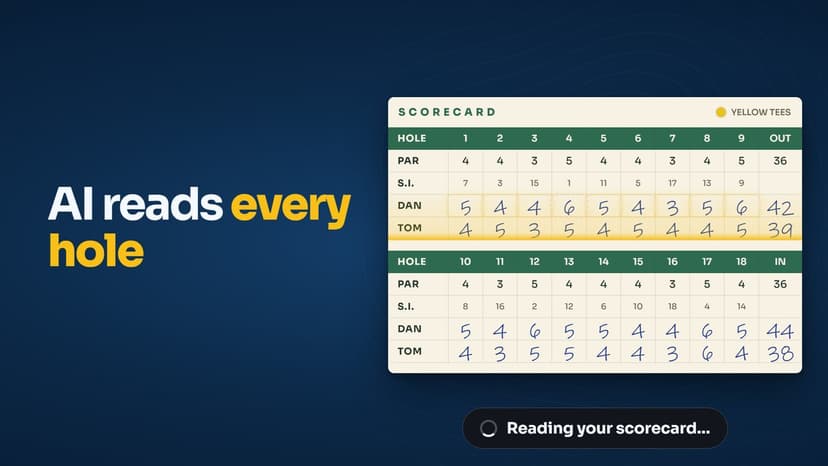
Typing in 18 scores after a round is the bit everyone skips, so we made it a photo. Snap the card, pick your row, check the one or two holes it is unsure about, and the round is in with the points totted up before you are back at the car.
Every handicap app has the same weak point. The round only counts if you log it, and logging it means 18 taps in a car park when all you want is a drink. The scanner takes the card you already filled in and does the typing. Here is what it does, step by step, and what it does when it is not sure.
How a photo becomes a round
| Step | What happens |
|---|---|
| 1. Take a photo | From the round screen, tap AI Scorecard Scanner and take a photo or pick one from your library. |
| 2. It reads the card | Every hole for every player on the card, plus the par and stroke index rows. |
| 3. Pick your row | 'Which row is yours?' Tap your line of scores and confirm. |
| 4. Check the flags | Any low confidence read or unusually low score is named so you can check that hole. |
| 5. Save | The totals are live as the scores land: gross, adjusted, to par and Stableford points. |
When a 4 looks like a 9
Handwriting on a damp card is not always clear, and a scanner that quietly guesses would be worse than no scanner at all. So it does not guess. Every hole where the read is low confidence, or where the score is unusually low for the hole, is named in a message like "Filled 18 of 18 holes. Holes 4, 12 worth a quick check." You look at those two, correct them if they need it, and save. The other 16 you never have to touch.
The totals are live
As the scores land in the round the total card updates with your gross, your adjusted gross with any hole capped at net double bogey, your score to par and your Stableford points. Save, and the round's differential goes straight into your record, so your handicap is up to date before you have left the club.
Log your next round from a photo
Rounds and your handicap are free. The scanner is part of Premium, with 30 days free to try it.
Two players, one card
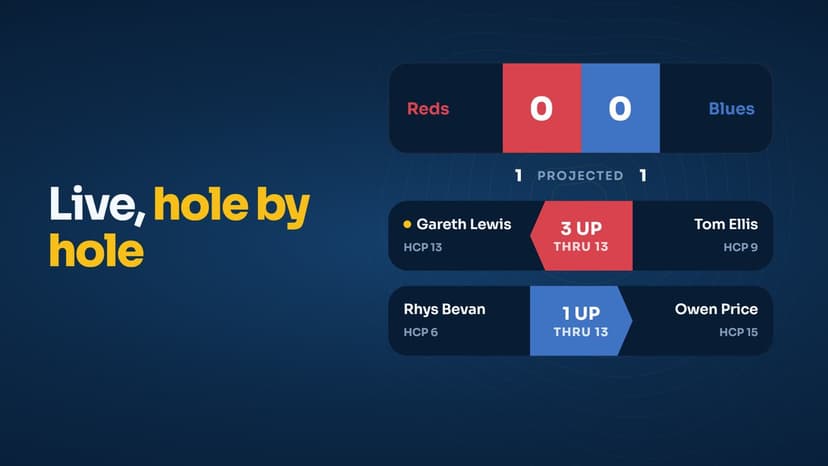
Most cards have more than one name on them. The scanner reads every row and asks which one is yours, so your playing partner can scan the same card for their own round. If their round is in one of your live leaderboard events, the board updates the moment they save.
Common questions
What does the scanner read from the scorecard?+
Every hole's score for each player on the card, plus the par and stroke index row if the card has them. You then tap your row, confirm, and the 18 scores drop into the round.
What if it misreads a number?+
It tells you. Any hole where the read is low confidence, or the score looks unusually low, is flagged in a toast such as 'Filled 18 of 18 holes. Holes 4, 12 worth a quick check.' You check those two holes and save. Nothing is saved without you seeing it first.
Does the scanner work on any scorecard?+
It is built for a normal printed club scorecard with scores written in by hand. Take the photo flat, in decent light, with the whole card in frame, and it reads well. A crumpled card in a dark car park will give you more holes to check.
Is the scanner free?+
Logging rounds and your handicap are free. The scanner is part of Golf Handicapp Premium, which has a 30 day free trial, so you can scan your next few rounds before deciding.
Keep reading

About the author
Claudia Laurent · Golf writer, Golf Handicapp
Claudia writes about the World Handicap System, golf scoring and getting more from every round for Golf Handicapp. She is a mid-handicap golfer who logs every card, the good ones and the ones she would rather forget.
Last updated 23 October 2026.